WEBSITE CREATOR
Websites that are real
Landing pages, online stores and portfolios — responsive, running in the preview, ready to publish.
Windows desktop app
The AI engineer that runs on your own Windows PC. It writes real files, runs your terminal, builds websites, apps and documents, and checks its own work before it says it's done.
One English command becomes a complete store website. The real run took about 5 minutes — this recording is sped up.
Works with the tools you already use
Works with Google Gemini, OpenRouter, the offline Venom models, Blender, SketchUp, After Effects, Premiere, n8n, Google Sheets, Git and GitHub, and Word, Excel and PDF.
Build anything you can describe
One assistant that codes, programs and ships — from a landing page to a full web app.
Landing pages, online stores and portfolios — responsive, running in the preview, ready to publish.
Web apps with screens, data, login and a cart — built, tested and started for you.
TypeScript, React, Node or Python — it reads your project, writes the change and runs the build.
It plans the work, uses real tools on your PC, checks the result and fixes what breaks.
How it works
No prompt engineering, no copying code around. You say what you want; VenomCode does the steps a developer would.
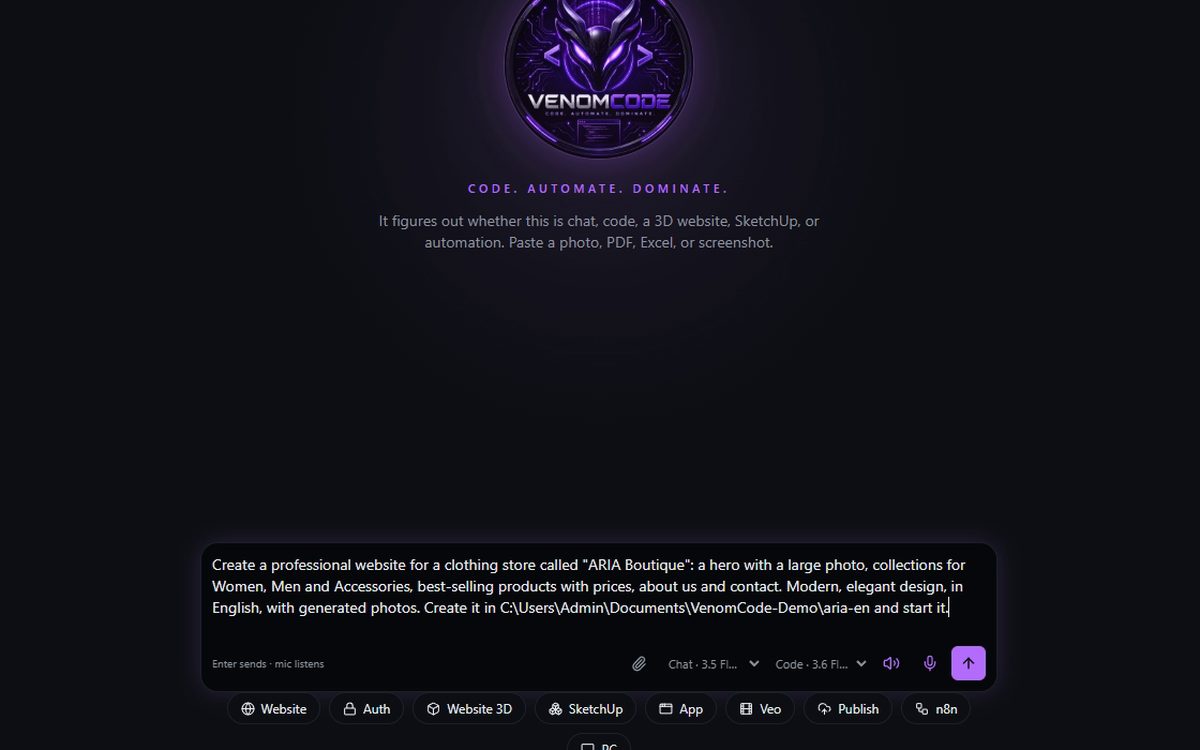
Type it, say it, or paste a screenshot, PDF or spreadsheet. Any language you speak.
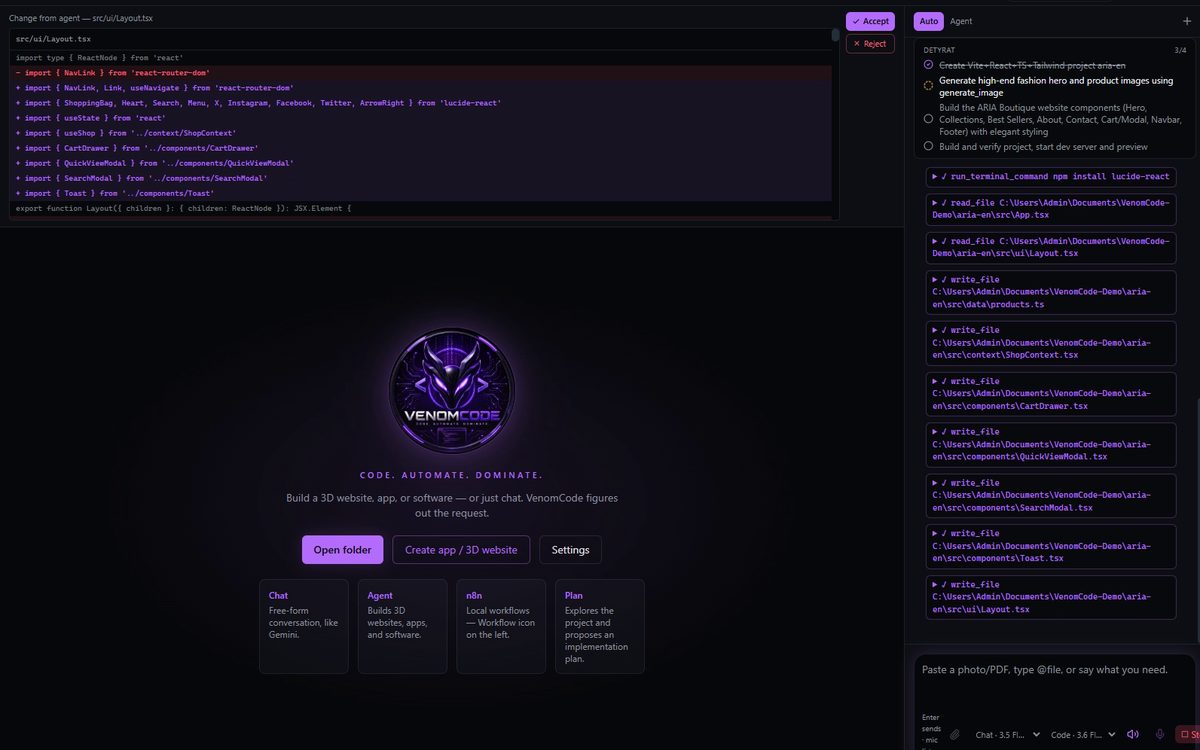
Creates the project, writes every file, installs, builds and opens it. When something breaks, it fixes it.
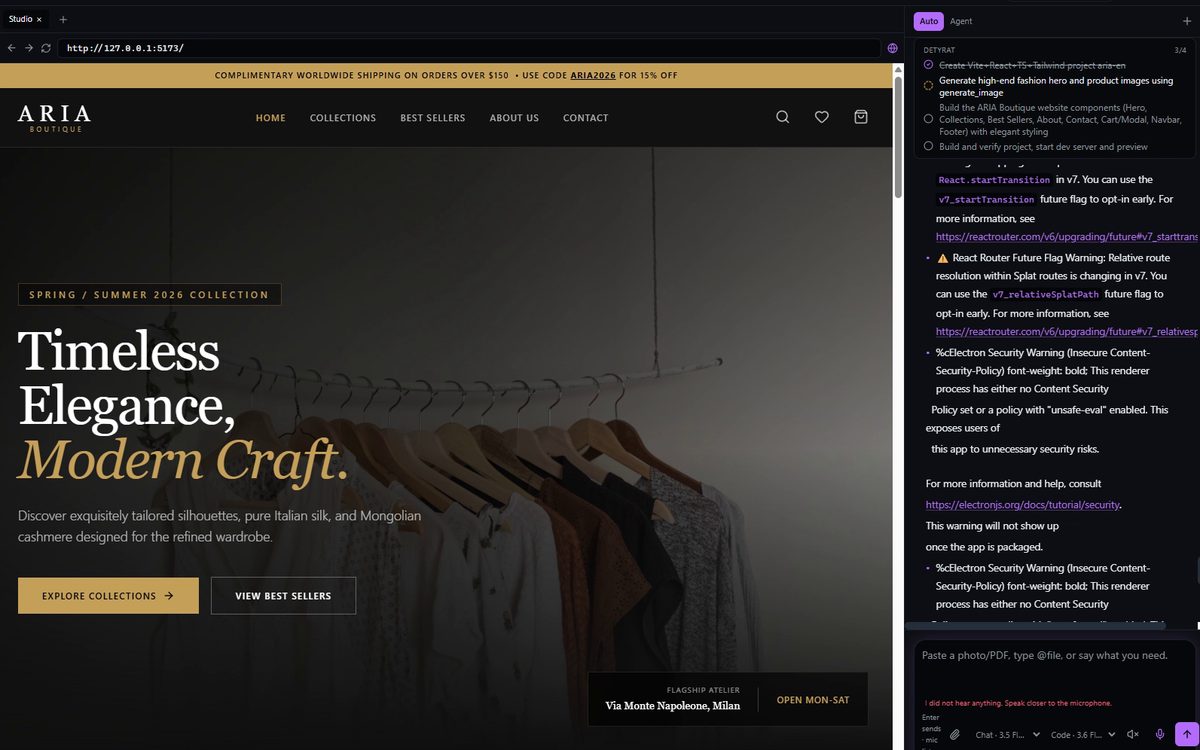
Real files in your own folder, running in the built-in preview — ready to change, ship or hand to a client.
The store in these pictures went from command to working site in about 5 minutes.
Watch it work
Scroll to replay real code VenomCode wrote for the ARIA Boutique store — the shopping bag, its promo codes and checkout.
import { useState } from 'react'
import { X, Trash2, ShoppingBag, ArrowRight, CheckCircle2 } from 'lucide-react'
import { useShop } from '../context/ShopContext'

export function CartDrawer(): JSX.Element {
  const { cart, isCartOpen, setIsCartOpen, removeFromCart, updateQuantity, cartTotal, clearCart } = useShop()
  const [promoCode, setPromoCode] = useState('')
  const [discount, setDiscount] = useState(0)
  const [promoError, setPromoError] = useState('')
  const [isCheckingOut, setIsCheckingOut] = useState(false)
  const [orderComplete, setOrderComplete] = useState(false)

  const freeShippingThreshold = 150
  const progress = Math.min(100, (cartTotal / freeShippingThreshold) * 100)
  const remaining = Math.max(0, freeShippingThreshold - cartTotal)

  const handleApplyPromo = (e: React.FormEvent) => {
    e.preventDefault()
    if (promoCode.toUpperCase() === 'ARIA15' || promoCode.toUpperCase() === 'ARIA2026') {
      setDiscount(0.15)
      setPromoError('')
    } else {
      setPromoError('Invalid promo code. Try ARIA15')
    }
  }

  const finalTotal = cartTotal * (1 - discount)
Real code from the ARIA Boutique run (src/components/CartDrawer.tsx), replayed in step with your scroll.
What it does
VenomCode decides on its own whether a request needs an answer, code, a document or an automation.
Landing pages, online stores, web apps and 3D websites — built, started and previewed, and published when you ask.
Offers, invoices, reports and price lists — with real Excel formulas, not a CSV pretending to be a spreadsheet.
After a change it runs the build, opens the page and clicks through it. "Done" means it works.
Blender and SketchUp models, After Effects and Premiere, promo reels for a brand or a client.
PRO & STUDIOGoogle Sheets with formulas and Apps Script, and n8n workflows that keep running after you close the chat.
n8n: STUDIOFiles and folders anywhere you can reach, your terminal, Git, and the apps you already have installed.
Built for your machine
3.6 Flash, 3.5 Flash, Flash-Lite, 3.1 Pro and more — Flash models are free with a Google key.
Venom3.5 9B and VenomPro 9B. No internet, no API key after a one-time download. Pro & Studio.
DeepSeek, Kimi, GLM, Qwen, Claude, GPT and more, with one key.
Pricing
Every plan is the full engineer on your desktop, with no cap on runs or projects. Start with a month on us.
For builders and developers
For creators, 3D and video
Then €49 / month · cancel anytime
For teams and studios
Then €149 / month · cancel anytime
How the free month works: choose a plan, add a card, and pay nothing for 30 days. Cancel before then and you're never charged.
Secure checkout on Gumroad · card or PayPal · prices include VAT where it applies · 14-day money-back guarantee


User manual · PDF · 10 pages
From activating your key to your first website — read it before you install, or keep it open next to the app.
FAQ
Windows 10 or 11 (64-bit) and an AI key. A free Google Gemini key is enough to start — the guide inside the app walks you through it in two minutes. The offline models need no key at all.
The 3-day trial is Starter, with no card: download, open VenomCode and press "Try Starter free for 3 days". The free month comes with any paid plan: you pick Starter, Pro or Studio, add a card, and the first charge happens only after 30 days.
In the folder you point it at, on your own disk. Projects, documents and videos are ordinary files you can open, move and back up without VenomCode.
Only what the AI model needs to answer: your request and the parts of files it reads go to the provider you chose, with your own key. Nothing is published or deployed unless you ask for it. With the offline models nothing leaves your PC.
Risky steps — terminal commands, deleting paths, publishing, writing documents — stop and wait for your approval, and every card shows exactly what it ran.
Each license key works on two computers. To move it to a new PC, open Settings → License & updates → "Deactivate this computer" on the old one.
Pick Starter, Pro or Studio and pay monthly, or yearly and get two months free. Cancel whenever you like: the app keeps working to the end of what you paid for. Updates are included and install themselves.

Install it once, point it at a folder, and start asking. The 3-day trial needs no card.